MeiTu AI Beauty Tool
MeiTu AI Beauty Tool
A photo beauty tool for women, with effects like waist slimming, leg lengthening, and facial feature improvement. Upload your photo, pick a beauty effect, and let MeiTu AI Beauty Tool create your flattering look.

Beautify Your Photos with MeiTu AI Beauty Tool
Upload your photo and apply beauty effects for face, waist, and legs...
MeiTu AI Beauty Tool Examples
See how MeiTu AI Beauty Tool can transform your photos with comprehensive beauty effects. Click on any example to use its prompt as inspiration.

Perfect Hourglass Figure
Slim waist naturally and create flattering hourglass proportions

Elegant Long Legs
Lengthen legs naturally, improve posture, and create more elegant body proportions

Enhanced Facial Beauty
Create bigger eyes, smoother skin, and more refined facial features

Professional Elegance
Create an elegant and confident professional appearance with subtle beauty effects

Flawless Complexion
Improve skin texture, remove blemishes, and create a youthful, radiant appearance

Social Media Ready
Create a perfect photo with beauty features for maximum social media impact

Playful Charm
Create a photo that showcases playful charm and vibrant energy, showcasing elegant body curves

Sunlit Charm
Create a radiant photo that shines with natural elegance
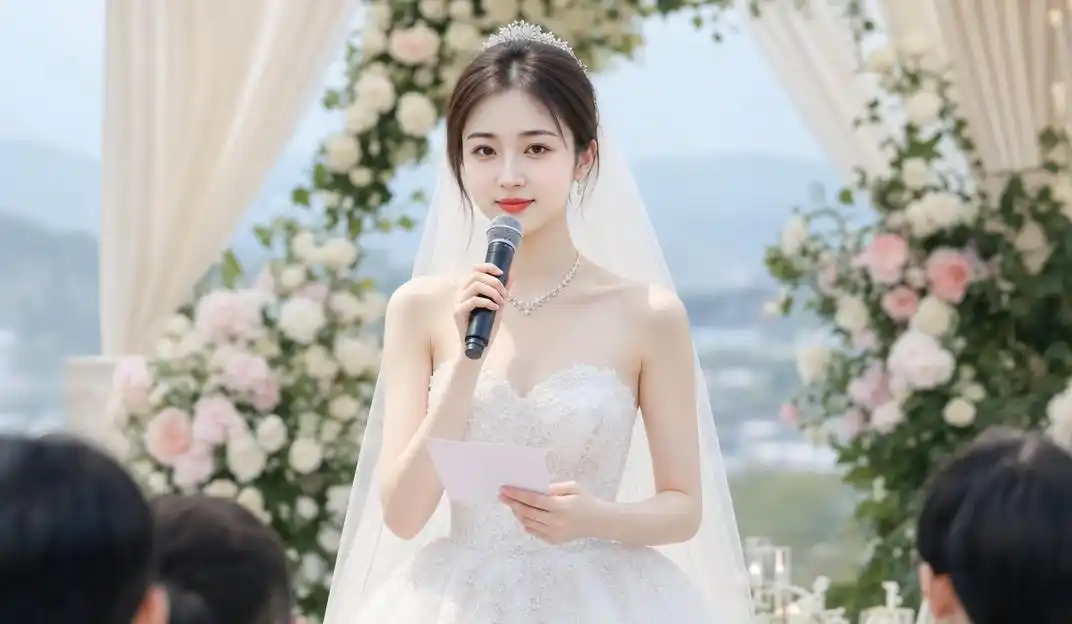
Virtual Clothing Try-On
Create a perfect photo to try on different clothes virtually
MeiTu AI Beauty Tool Features
Beautify your photos with tools for natural beauty effects, body proportion adjustments, and facial refinement.
Beauty Enhancement
MeiTu analyzes your images to naturally beautify your overall appearance and temperament.
Easy Photo Upload
Upload one clear photo up to 10MB. Common formats like JPG, PNG, and WebP all work well.
Preset Effects
Seven ready-to-use looks, from daily fresh makeup to wedding photography — pick one or describe your own.
Fast Processing
MeiTu delivers beauty results quickly, usually within 30 seconds.
Detailed Prompts
Describe what you want in detail to guide every aspect and effect of your photo beauty.
No Editing Skills Needed
Just upload a photo and describe the look you want — no professional photo-editing experience required.
Enhanced Charm
Through careful adjustments, enhance your natural charm and create a polished, confident appearance.
Use MeiTu AI Beauty Tool in 3 Steps
Transform your photos with beauty effects in under 30 seconds
Upload Your Photo
Select and upload a clear photo where your body and face are clearly visible for best results.
Specify Beauty Requirements
Tell us how you want to beautify your appearance — waist slimming, leg length, facial features, and a more elegant look.
Get Your Results
MeiTu processes your request and delivers the edited images quickly.
MeiTu AI Beauty Tool FAQ
Everything you need to know about MeiTu AI Beauty Tool
How do I get the best waist-slimming result with AI?
+MeiTu's waist slimming feature works by analyzing your body shape and creating a natural taper at the waist while maintaining proportions with surrounding areas. For best results, provide specific instructions in your prompt about how much slimming you want, and upload photos with good lighting where your body is clearly visible.
Will waist slimming affect the appearance of clothing in the photo?
+Yes, MeiTu will adjust clothing contours to match the new waistline. The system analyzes clothing folds, textures, and drapery to ensure modified clothing looks natural and follows physical laws, without unnatural distortions or proportional imbalances.
How can I emphasize my waist curves while keeping a natural hourglass shape?
+To emphasize waist curves while maintaining a natural hourglass figure, use keywords like "natural hourglass figure," "balanced waist-to-hip ratio," and "soft curve transitions" in your prompt. MeiTu balances waist and hip proportions to create a naturally harmonious hourglass silhouette while emphasizing the waist curve for that classic silhouette.
Does the leg lengthening feature cause photo distortion? Any tips?
+When used appropriately, the leg lengthening feature maintains natural proportions and avoids distortion. For best results: upload full-body photos where legs are clearly visible, avoid extreme lengthening requests, and include specific instructions about the desired leg-to-body ratio. MeiTu ensures consistency with the rest of the image including feet, clothing, and background elements.
How can I make my legs look both longer and slimmer?
+To achieve both longer and slimmer legs, use keywords like "slender legs," "balanced leg shape," and "slim calves" in your prompt. The system analyzes leg muscle contours, adjusting proportions to create slimmer legs while lengthening, maintaining natural muscle lines and skin texture for a slender and healthy leg appearance.
How does leg lengthening keep background elements in normal proportion?
+MeiTu features background adjustment that identifies and maintains normal proportions of background elements. The system distinguishes between foreground figures and background environments, applying proportional adjustments only to the person's legs while preserving the physical consistency of backgrounds, ensuring floors, walls, furniture, etc. don't become distorted, creating a naturally coordinated overall image.
What specific facial feature improvements are available?
+Facial enhancement features include eye enlargement, facial contour refinement, skin smoothing, smile enhancement, jawline definition, subtle nose refinement, eyebrow enhancement, and overall facial proportion optimization. You can specify which features you'd like to improve in your prompt for customized results.
How can I refine my facial features while still looking like myself?
+To maintain personal characteristics while improving facial features, we recommend: 1) Using keywords like "preserve personal features" and "natural beautification," 2) Making targeted adjustments to specific areas rather than changing your whole face, 3) Referring to previous satisfactory photos to describe your desired effect, 4) Using moderate adjustment parameters. MeiTu enhances your look while preserving your unique facial features and recognizability.
How do I create balanced hourglass proportions?
+To create an hourglass figure, MeiTu balances waist slimming and overall proportions. Include specific instructions in your prompt requesting "hourglass figure" and mention any specific areas you'd like emphasized. MeiTu analyzes your body structure and applies natural-looking adjustments to achieve the classic hourglass silhouette.
Can body proportion adjustments be customized for different body types?
+MeiTu customizes optimization plans based on your original body characteristics: for pear-shaped bodies, it balances upper and lower proportions; for apple-shaped bodies, it emphasizes waist curves; for rectangular bodies, it creates more obvious curves; for hourglass figures, it further optimizes proportional harmony. Specify your body type and desired optimization direction in your prompt for more precise results.
Beyond the waist and legs, what other details can be beautified?
+MeiTu offers detail beautification features, including: shoulder contouring, collarbone highlighting, arm slimming, finger beautification, body line optimization, leg line refinement, back curve shaping, posture correction, and more. You can specify specific details you want to improve in your prompt, and MeiTu provides targeted beautification for a more perfect overall image.
What does skin beautification include, and how do I avoid over-smoothing?
+Skin beautification features include: blemish removal, skin tone evening, pore refinement, smoothness enhancement, natural glow boosting, and more. To avoid over-smoothing, use keywords like "preserve skin texture" and "natural smoothness," or specify the desired smoothness level in your prompt. The system preserves natural skin texture and details, avoiding plastic-like unnatural effects.
What technology does MeiTu AI use to ensure natural-looking results?
+MeiTu uses deep learning and computer vision technology that analyzes body and facial features, lighting, and proportions in your photo. It aims to keep skin texture, natural shading, and realistic proportions consistent throughout the image for natural-looking results.
How does the AI understand and apply natural face and body proportions?
+MeiTu has learned classic aesthetic standards like golden ratio, three parts face, five eyes, nine-head body, while also incorporating modern diverse aesthetic features. It analyzes the original proportions in your photos and applies suitable aesthetic references to optimize while preserving personal characteristics, creating naturally beautiful results while maintaining each person's individuality.
How long does photo processing take?
+Most photo enhancement requests are processed within 30 seconds, depending on the complexity of the task and current server load. Basic enhancements typically complete faster, while more comprehensive beauty makeovers may take a little longer. MeiTu is optimized for quick turnaround while maintaining high quality results.
Is the original image resolution preserved during processing?
+Yes, MeiTu maintains the original resolution of your uploaded images during processing. It works with your image at its native resolution to preserve as much detail as possible. The final enhanced image keeps the same dimensions as your original upload, with the beauty enhancements applied at full resolution for clear, detailed results.
How do you make sure edited photos don't look obviously retouched?
+MeiTu uses several quality control measures: 1) Generation models ensure natural transitions and consistent textures, 2) Lighting reconstruction preserves lighting direction consistency, 3) Edge detection and optimization avoid obvious stitching traces, 4) Automated checks detect and correct unnatural elements. Additionally, we continuously improve our models to enhance naturalness and realism.
What do I need before using MeiTu for the first time?
+Getting started with MeiTu is simple! Prepare a clear, well-lit photo where your face and body are clearly visible. Decide which enhancements you'd like to apply, or browse the preset options for inspiration. That's all you need to begin creating beautiful enhanced photos!
Can I use this editor without any Photoshop experience?
+Absolutely! MeiTu is designed for users without professional photo editing experience. The intuitive interface and automation do the complex work for you. Simply upload your photo, choose from our preset enhancement options or write a simple description of what you want, and let MeiTu handle the rest. No technical skills required!
How do I write prompts for the most precise results?
+To get precise results with prompts, we recommend: 1) Describe specific areas you want to improve, 2) Use clear intensity words (like "slight," "moderate," "significant"), 3) Use preset effects as a foundation, 4) Avoid vague descriptions, 5) For unsatisfactory results, analyze and adjust specific details in your prompt. MeiTu responds best to detailed, specific descriptions.
What kinds of photos work best for AI beautification?
+Photos most suitable have these characteristics: 1) Adequate and even lighting, avoiding strong backlighting or shadows, 2) Clear visibility of the subject without excessive blurring or obstruction, 3) Moderate resolution (recommended at least 1000×1000 pixels), 4) Photo content consistent with your desired beautification direction (full-body photos for body beautification, facial close-ups for facial detail enhancement). High-quality input photos yield more natural, ideal enhancement results.
How does the AI photo retouch feature work?
+The photo retouch feature enhances your photos while preserving natural beauty. It can smooth skin, correct lighting issues, enhance details, and remove minor imperfections. The retouch technology maintains facial expressions and natural features while creating a polished, professional look. You can control the intensity of retouching in your prompt for customized results.
How can I undo an edit I don't like?
+If you're not completely satisfied with the results, you have several options: 1) Try again with the same photo but make your prompt more specific, 2) Use one of the preset effects, which are tuned for natural results, or 3) Adjust one element at a time — for example, ask for a slightly slimmer waist or smoother skin — instead of changing everything at once.
What should I do if I encounter processing failures or unsatisfactory results?
+If you encounter issues, we recommend trying these solutions: 1) Check your network connection is stable, 2) Ensure the uploaded photo is in the correct format and not corrupted, 3) Simplify or adjust your prompt, avoiding overly complex or contradictory requests, 4) Try using photos with different angles or lighting conditions, 5) If problems persist, wait a moment and try again, or refresh the page and re-upload your photo.
Can AI remove a double chin or define my jawline?
+Yes. In your custom description, ask for a "defined jawline" or a "slimmer chin and neck area," or choose one of the facial beautification presets. Subtle adjustment looks the most natural, as it keeps your chin and neck consistent with the rest of your face.
Can it reduce dark circles, under-eye bags, or fine wrinkles?
+Yes. Mention the area you want refreshed — for example "reduce under-eye circles and bags" or "soften fine lines around the eyes and mouth" — in your description. Beautification lightens these signs while preserving skin texture and your natural expression.
Can it brighten and even out my skin tone?
+Yes. Describe the result you want, such as "brighter, more even skin tone" or "reduce dullness and redness, keep a natural look." The tone is balanced across face and body so the result matches the lighting of the original photo.
Can it add natural-looking makeup to a bare-face photo?
+Yes. You can ask for light everyday makeup in your description — for example "natural nude makeup, defined brows, soft lip color." The effect follows your facial features, enhancing a bare-face photo without looking heavy or painted on.
Can it brighten teeth or refine a smile?
+Yes. Add a short request such as "natural teeth whitening" or "a slightly softer, more relaxed smile." Adjustments stay gentle so teeth keep a natural shape and shade rather than looking unnaturally white.
Can I look taller in full-body photos?
+Yes. In full-body shots you can request a subtle increase in apparent height together with longer, slimmer leg proportions. For the most believable result keep the adjustment moderate and use a photo where your whole body and feet are clearly visible.
Does it work on selfies and close-up face photos?
+Yes. Selfies and close-ups work well for facial beautification such as skin tone, facial contour, eyes, and jawline. Use a sharp, well-lit front-facing photo and describe the specific facial adjustments you want.
Does it work on full-body or group photos? Will other people be changed?
+Full-body photos work well for waist, leg, and overall proportion adjustments. Group photos are supported too — in your description, clearly indicate the person to adjust (for example "the woman in the white dress in the center") so changes stay focused on you, while other people and the background remain untouched.
Can I use it for dating app or social media profile photos?
+Yes. A profile photo benefits from subtle skin-tone balancing, facial contour refinement, and a fresher overall look. Keep adjustments natural — recognizability is what makes a profile photo effective — and use a clear, recent head-and-shoulders or half-body shot.
Is it suitable for wedding, engagement, or formal event photos?
+Yes. Such photos suit gentle beautification: even skin tone, a slimmer waistline, refined facial features, and a brighter complexion, while preserving the dress, suit, makeup style, and scene lighting. Mention the formal occasion in your prompt so the result stays elegant rather than over-edited.
How can I look thinner in photos?
+A few posing basics help first: shoot from a slightly higher angle, turn your body about 45 degrees to the camera, place one foot forward, and keep good posture. Then upload the photo and request natural waist and arm slimming in your description — posing combined with a subtle adjustment gives the most believable result.
What poses and angles work best before I upload?
+For body photos, a three-quarter turn with weight on the back leg, relaxed shoulders, and a slightly higher camera angle flatter the figure. For face photos, soft front-side light with the chin slightly forward and down helps define the jawline. Clear, well-lit, uncropped photos also give the AI more to work with.
Do I need to install anything? Does it work on a phone?
+No installation is needed — MeiTu runs entirely in your web browser on phones, tablets, and computers. On a phone just open the page in Safari, Chrome, or another modern browser, upload a photo, choose an effect or write a description, and the result is processed online.
What photo formats and file size can I upload?
+You can upload one JPG, PNG, or WebP image up to 10MB. Clear, high-resolution original photos produce better results than screenshots or heavily compressed images, so upload the original file whenever possible.
Should I use a preset effect or a custom prompt — can I combine them?
+Either works. A preset is the fastest choice for ready-to-use looks such as daily fresh or wedding style, while a custom description gives finer control. You can also do both — pick a preset as the base and add specific instructions to strengthen or soften parts of the effect.
Can I re-edit the same photo if I want a lighter or stronger effect?
+Yes. Upload the same original photo again and adjust your description — ask for a "lighter, more subtle" result or specify a stronger change in the areas you want. Starting again from the original photo preserves more quality than repeatedly editing an already processed image.
Ready to Use MeiTu AI Beauty Tool?
Apply natural beauty effects to your face, waist, and legs — choose a preset or describe the look you want.